




If you’ve ever felt your heart race during a flight, you’re not alone. Many travelers find comfort in knowing exactly where their plane is and what’s happening around them. Tracking airplanes using modern apps and technology can transform uncertainty into understanding—and that understanding is often the first step toward feeling calm at 35,000 feet.
Key Takeaways
-
Airplane tracking apps show real-time flight position, altitude, speed, and route, making each stage of your flight predictable and reducing fear of the unknown.
-
SkyGuru goes beyond map-based tracking by explaining what you feel and hear during flight, using aviation weather forecasts, turbulence predictions, and your phone’s sensors.
-
Commercial aviation in 2026 is highly structured and monitored—modern tracking tools and air traffic control make flights safer and more transparent than ever before.
-
Nervous flyers can combine airplane tracking with real-time explanations to understand turbulence, noises, and route changes instead of imagining worst-case scenarios.
-
Downloading SkyGuru and adding your upcoming flight is a simple first step to feeling more in control before takeoff.
What Is Airplane Tracking And Why Do So Many Travelers Use It?
Airplane tracking means following a specific flight on a live map, usually on your phone, tablet, or laptop. A live flight tracker shows your aircraft moving across continents in real time, giving you a window into what’s happening outside the cabin.
Most tracking apps display core flight details: your flight number, departure airport, and arrival airport, scheduled and estimated times, aircraft type (such as an Airbus A320neo or Boeing 787 Dreamliner), the age or serial number of the aircraft, current altitude, ground speed, and the route path as a colored line on the map. Flight tracking apps often include features such as live flight status updates, historical flight data, and the ability to use filters to narrow down flights by airline, aircraft type, altitude, speed, and other parameters.
There’s a difference between plane-spotter use and nervous passenger use. Aviation enthusiasts might watch dozens of aircraft over Europe or North America, noting liveries and types. These tracking apps provide coverage across nearly every country, emphasizing their extensive international reach. But if you’re tracking your own Delta or British Airways flight, you’re seeking information and reassurance—not entertainment.
Consider tracking a London Heathrow (LHR) to New York JFK flight on 23 April 2026. You’d see it cruising around 35,000–38,000 feet, following oceanic tracks over the North Atlantic. The aircraft appears to move slowly because the map is zoomed out. At cruising speed of 800–900 km/h, pilots follow well-established airways and procedures.
SkyGuru complements map-based tracking by describing what you’re likely to feel or hear at each stage, and this in-flight anxiety reduction app transforms raw data into emotional reassurance.

How Modern Apps Use a Live Flight Tracker to Track Airplanes In Real Time
Understanding how tracking works can make the technology feel less mysterious and more trustworthy.
Modern airplane tracking combines satellite data, ground-based radio sensors, and traditional radar, with ADS-B as the primary technology for commercial flights. Many flight tracking apps utilize ADS-B transponders that transmit positional data from aircraft, allowing users to see real-time flight movements on a map. Airplane tracking systems use a combination of satellite-based GPS, ADS-B transponders, and ground-based radar to monitor aircraft positions in real-time.
In simple terms, most commercial aircraft broadcast their position, altitude, speed, and identification every second using GPS and radio signals at 1090 MHz. Traditional radar measures location via reflected signals (Primary) and queries transponders for identity and altitude (Secondary). Reliable tracking tools aggregate data from multiple high-tech sources, including ADS-B, MLAT, and satellite tracking systems.
Popular flight tracking services combine over 50,000 ground receivers around the world with satellite coverage. Satellite ADS-B provides global coverage by using satellite constellations to pick up ADS-B signals from aircraft in remote areas. Satellite receivers are used for tracking airplanes over oceans and remote areas where ground infrastructure is unavailable. When choosing an app, it’s also worth reviewing its privacy practices, including whether it shares data with Google services.
When ADS-B isn’t available, Multilateration (MLAT) computes an aircraft’s position by measuring the time difference of arrival (TDOA) of signals from its Mode-S transponder. Additionally, ACARS (Aircraft Communications Addressing and Reporting System) is a digital datalink system that transmits flight information and status messages between the plane and ground stations.
Historical data is stored too—you can see where a flight flew yesterday or last month, including altitude changes and routing around storms. While map-based apps focus on position and speed, SkyGuru explains why a plane climbs, turns, or experiences turbulence using aviation weather and forecasts.
Why Tracking Airplanes Can Reduce Fear Of Flying
Many people feel anxious when they cannot see or predict what’s happening outside the cabin. This uncertainty is at the heart of flight anxiety.
Fear of flying often stems from a lack of control. You hear a noise, feel a bump, or notice a turn, and your brain fills the gap with worst-case scenarios. Research suggests 25–40% of air travelers experience some level of flight anxiety—you’re certainly not alone, and many people explore apps that help overcome fear of flying as part of their coping toolkit.
Watching your own flight—whether AF006 Paris–New York or AA1234 Dallas–Los Angeles—shows that flight paths, altitudes, and speeds are remarkably consistent day to day. This predictability matters.
During flight, understanding stages like taxi, takeoff, climb, cruise, descent, and landing lowers anxiety. Tracking apps show these stages visually. Tools like SkyGuru explain what each stage should feel like in your body.
Here are common sensations that are completely normal, and understanding them is a key part of how an app can help your fear of flying:
|
Flight Stage |
What You May Feel |
|---|---|
|
Takeoff |
Gentle vibration, acceleration pressure |
|
Climb |
Engine sound changes, slight pressure in the ears |
|
Cruise |
Occasional light bumps from wind or weather |
|
Descent |
Ears popping, speed reduction sensation |
Many nervous travelers feel calmer seeing that turbulence occurred at a common cruising altitude like 34,000 feet, with the aircraft remaining safely above weather systems, and learning how an app can help fear of flying reinforces that these sensations are manageable.

Types Of Flight Tracking: Spotting, Planning, And In‑Flight Guidance
People use airplane tracking in three main ways.
Plane Spotting: Aviation enthusiasts watch dozens of aircraft over regions like central Europe or the US East Coast, noting aircraft types and airline liveries. Some flight tracking apps allow users to point their device at an aircraft to identify it and view detailed flight information, including the aircraft type and its route. Many apps also let users track general aviation aircraft and helicopters, offering a wide variety of private planes and helicopter models for enthusiasts interested in diverse aircraft types and liveries.
Travel Planning: Travelers check if a specific flight tends to be delayed, how often a route encounters turbulence, or typical gate assignments. Real-time flight information includes details on arrivals, departures, and delays at specific airports. Many flight tracking services offer subscription options that provide additional features beyond free versions, such as extended flight history and detailed turbulence and route data. Some services offer a Gold tier or plan, which provides premium features like longer data history and advanced flight route information. Subscription plans often include features like custom alerts, advanced filtering options, and access to historical flight data. Upgrading to paid plans involves a payment process, and users should be aware of auto-renewal and associated fees. Common subscription tiers include monthly and annual plans, with varying levels of access depending on the tier chosen.
In-Flight Guidance: Anxious passengers use their phone in airplane mode with Wi-Fi to follow the flight path and get explanations about upcoming sensations.
SkyGuru belongs in this third category. It uses route data, aviation weather, and turbulence models to forecast bumps and explain noises in real time—like having a pilot sitting next to you.
Pairing a classic map-based tracker before your trip with SkyGuru during flight gives you both the big picture and step-by-step emotional support.
To access personalized features such as custom alerts, real-time tracking, and account-based notifications, users are often encouraged to create a free account and can contact support if needed. Some services also welcome feedback to improve alerts or tracking features.
Step‑By‑Step: How To Track A Flight Before And During Your Trip
Here’s a practical guide to using flight tracking effectively:
1. Find Your Flight Search by airline name and flight number (like BA178), or by route and departure time from airports like JFK, LAX, or Frankfurt. Most flight tracking apps are available for Android, iPad, and iPhone devices, allowing you to track flights on your preferred platform. Many flight tracking services provide current weather conditions at airports along with flight status updates.
2. Check the Day Before Review historical punctuality, typical cruising altitude, and whether the aircraft type is consistent (for example, always an Airbus A321neo). This builds familiarity.
3. Track on Travel Day Monitor the inbound aircraft—the plane arriving that will operate your flight. Some apps offer an airport panel with real-time arrival and departure boards, delays, cancellations, and even runway usage or status information. Watch for gate assignment and check the departure boards for any delays or revised times. Note any cancellations early.
4. During the flight, use the airline’s in-flight map plus SkyGuru. The map shows your geographic position. SkyGuru pre‑downloads flight details and explains each stage, including upcoming events like climb rate changes, expected turbulence zones, or the start of descent.
5. Notice the Predictability. Observe how closely the real flight matches your pre-flight expectations. This consistency is one of the strongest antidotes to flight anxiety.
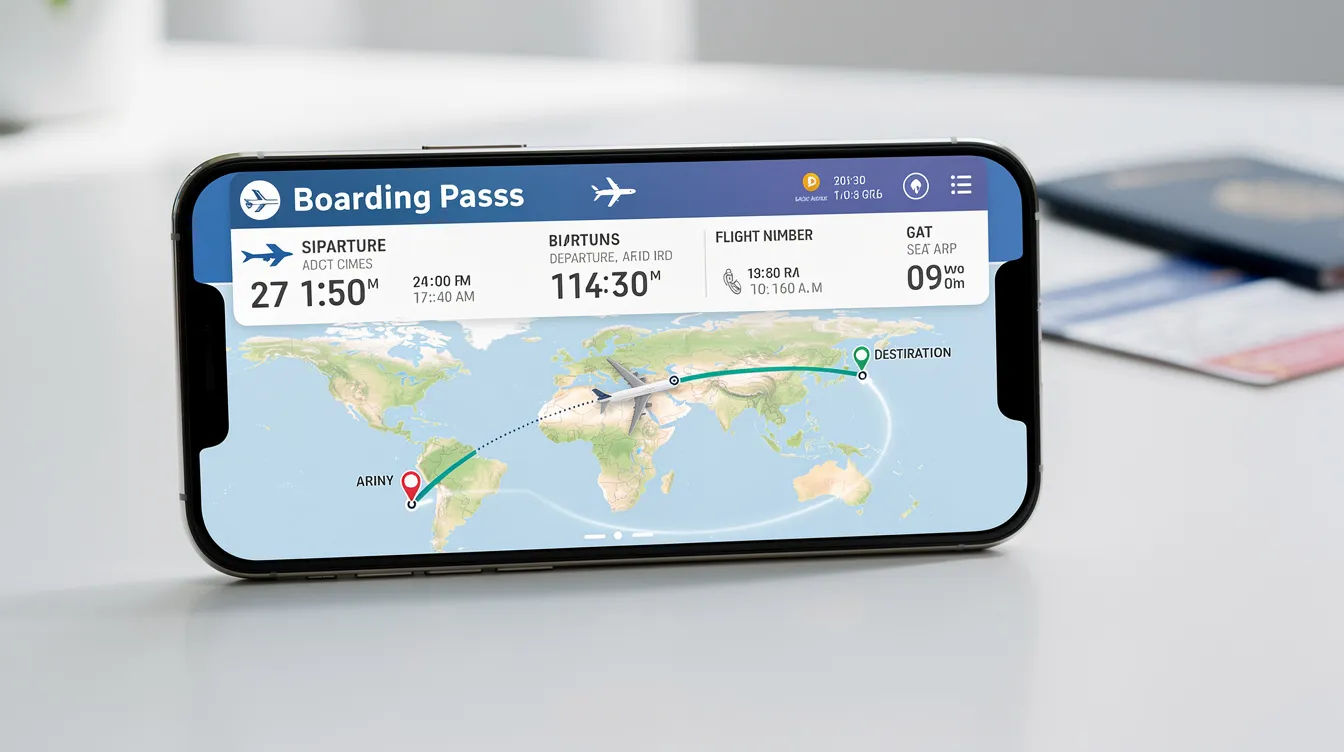
From Raw Data and Historical Data To Calm Mind: How SkyGuru Differs From Classic Trackers
Traditional airplane trackers focus on what the aircraft is doing. SkyGuru focuses on what you are experiencing.
SkyGuru uses multiple data sources:
-
Aviation weather forecasts, including turbulence predictions
-
Airport METAR/TAF reports for visibility and wind
-
Global wind patterns and jet stream data
-
Your smartphone’s motion sensors detect climb, cruise, and descent
Instead of simply showing “altitude 36,000 ft,” SkyGuru might say: “You are at cruising altitude now. Light bumps in this region are normal due to jet stream winds. Pilots expect them, and your aircraft is built for much stronger forces.”
This commentary helps nervous flyers who need more than maps. They need answers to “Is this normal?” and “What happens next?”, and media coverage has highlighted SkyGuru’s effectiveness in easing the fear of flying.
Consider a traveler flying from New York to Madrid in autumn 2026, feeling anxious over the Atlantic. SkyGuru alerts them ahead of a forecast turbulence zone and explains why the captain might adjust altitude—transforming worry into understanding.
Download SkyGuru before your next flight. Enter your route and date. Let the app accompany you with real-time guidance instead of leaving you to interpret map data alone.
Tracking airplanes in real time is accessible through global tracking networks and specialized mobile apps that leverage ADS-B technology. SkyGuru’s FAQs on real-time flight commentary explain how those numbers translate into sensations you feel—but understanding what they mean for your body and mind, that’s where real calm begins.
FAQ About Tracking Airplanes And Managing Flight Anxiety
Is it safe and legal to track commercial flights from my phone?
Yes. Tracking airline flights using public apps is legal and based on openly broadcast ADS-B signals. Aviation authorities and airlines accept this as normal. Using a tracking app on the ground or in airplane mode with Wi-Fi does not interfere with aircraft systems, and many nervous travelers rely on a dedicated fear-of-flying app like SkyGuru that works safely in flight mode. Many airlines provide their own in-flight maps—essentially built-in flight trackers approved by the airline. Always follow crew instructions about device use during your flight.
Why does my flight path look curved or different from a straight line on the map?
The Earth is round, so the shortest path between distant cities follows a “great circle” that appears curved on flat maps. Routes also change slightly due to wind, air traffic control instructions, and weather systems. These changes don’t mean the pilot is lost—aircraft follow precise clearances from air traffic control at all times.
Can watching a tracker ever increase my anxiety instead of helping?
For some people, constantly watching altitude or speed numbers without context can increase worry. Use trackers intentionally: check the route and approximate arrival time rather than obsessing over minor changes. Combine tracking with SkyGuru, which interprets changes and confirms when bumps, turns, and climbs are routine. Learn more about managing flight anxiety here.
Why does the altitude or speed on the tracker keep changing slightly during cruise?
Small altitude changes (a few hundred feet) and speed adjustments during cruise are normal. Pilots request changes to find smoother air or more efficient winds. The aircraft’s autopilot maintains extremely precise control throughout cruise. Passengers barely feel these adjustments. For deeper insights, see our article on flight sensations explained.
How can I prepare emotionally before a flight if I plan to use tracking tools?
Look up your route a day or two in advance. Notice how routine it appears. Set a calm intention: use tracking and SkyGuru to understand normal sensations, not to monitor for danger. Combine real-time explanations with grounding strategies—slow breathing, music, or guided meditations—to keep your nervous system calm from takeoff to landing. Explore our nervous flyer tips for more support.
Consider sharing your tracking experience with friends or family who can offer support or distraction. Using devices like an Apple Watch can help you discreetly follow your flight without drawing too much attention. Remember, tracking accuracy varies slightly, but it provides a reliable sense of progress. Trust the developers behind these tools—they design them to provide reassurance and safety information.
Before your flight, familiarize yourself with tower communications and typical noises you might hear. Listening to explanations about these sounds can transform unfamiliar noises into comforting signals of normal flight operations. Embracing this knowledge turns uncertainty into confidence, making the journey smoother emotionally as well as physically. Learn more about airplane noises explained.
Flying becomes less intimidating when you understand what’s happening around you.
Knowing why turbulence occurs, why aircraft make certain sounds, and what sensations are normal can transform uncertainty into confidence. By combining real-time airplane tracking with expert explanations, tools like SkyGuru help nervous flyers feel informed and in control throughout their journey. Download SkyGuru before your next flight to receive personalized guidance that reduces anxiety and turns flying into a calmer, more predictable experience. Embrace knowledge, and let your next flight be a step toward travel peace of mind.
FLEET SELECTION
JET CARDS
COST ANALYSIS


How to Auditing Your Operator's Maintenance Logs
Oct 05, 2025

How to Auditing Your Operator's Maintenance Logs
Oct 05, 2025

How to Auditing Your Operator's Maintenance Logs
Oct 05, 2025
Sky Guru Weekly
The smartest private aviation intelligence in your inbox.
.svg)

